
Display promotional banners to encourage customers to join Revolut and earn rewards. The promotional banner supports multiple display variants for different use cases - from subtle icons to full sign-up forms - and can be shown before or after payment.
Key features:
- Multiple display variants (banner, icon, link, sign-up form)
- Pre-purchase and post-purchase placement options
- RevPoints rewards enrollment
- Customer data pre-filling
- Customisable styling for each variant
For a complete implementation guide, see: Display the Revolut Promotional banner
Banner variants
The promotional banner offers four different presentation styles:
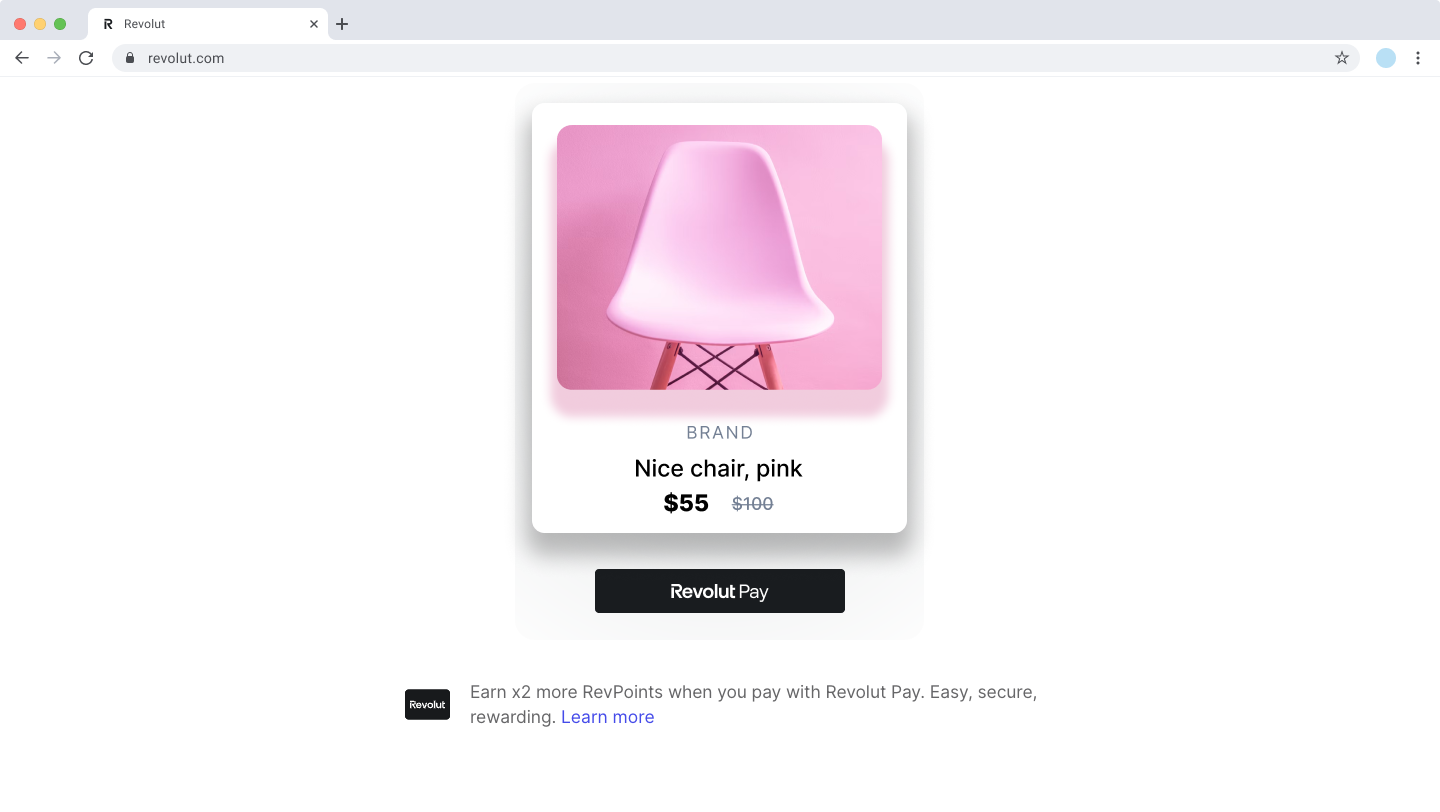
Use case: Before payment - displays informational banner with Revolut Pay benefits
Variant comparison
Choose the right variant for your use case:
| Variant | Description | Placement | Key parameters |
|---|---|---|---|
banner | Informational banner with Revolut Pay benefits | Before payment | currency, amount |
icon | Clickable icon opening details pop-up | Before payment | currency, amount, style |
link | "Learn more" link opening details pop-up | Before payment | currency, amount, style |
sign_up | Default variant. Full sign-up form offering rewards for joining Revolut | After payment | transactionId, currency, amount, customer, style |
Prerequisites
This promotional widget requires Upsell module initialisation.
Type signature
UpsellModulePromotionalBannerInstance.mount(
  target: HTMLElement,
  options: PromotionalBannerOptions
): PromotionalBannerMethods

type PromotionalBannerOptions =
  | PromotionalBannerBannerOptions
  | PromotionalBannerLinkOptions
  | PromotionalBannerIconOptions
  | PromotionalBannerSignUpOptions

interface PromotionalBannerMethods {
  destroy: () => void
}Parameters
| Parameter | Description | Type | Required |
|---|---|---|---|
target | DOM element where the banner should be mounted | HTMLElement | Yes |
options | Configuration object for the banner. The object structure depends on the selected variant | PromotionalBannerOptions | Yes |
PromotionalBannerOptions
The options are variant-specific. See the variant comparison table to choose the right one for your use case.
PromotionalBannerBannerOptions
interface PromotionalBannerBannerOptions {
  variant: 'banner'
  currency: string
  amount?: number
}| Parameter | Description | Type | Required |
|---|---|---|---|
variant | Banner display type | 'banner' | Yes |
currency | ISO 4217 currency code in uppercase | string | Yes |
amount | Payment amount in minor currency units | number | No |
PromotionalBannerLinkOptions
interface PromotionalBannerLinkOptions {
  variant: 'link'
  currency: string
  amount?: number
  style?: {
    text?: 'get_discounts' | 'earn_as_customer'
  }
}| Parameter | Description | Type | Required |
|---|---|---|---|
variant | Banner display type | 'link' | Yes |
currency | ISO 4217 currency code in uppercase | string | Yes |
amount | Payment amount in minor currency units | number | No |
style | Customise link text | LinkStyle | No |
Link style
| Parameter | Description | Type | Required |
|---|---|---|---|
text | Link text variant. Default shows general Revolut Pay benefits. Options: 'get_discounts' (promotes RevPoints discounts), 'earn_as_customer' (highlights higher RevPoints for Revolut customers) | 'get_discounts' | 'earn_as_customer' | No |
PromotionalBannerIconOptions
interface PromotionalBannerIconOptions {
  variant: 'icon'
  currency: string
  amount?: number
  style?: {
    size?: 'regular' | 'small'
    color?: 'blue' | 'black'
    outline?: boolean
  }
}| Parameter | Description | Type | Required |
|---|---|---|---|
variant | Banner display type | 'icon' | Yes |
currency | ISO 4217 currency code in uppercase | string | Yes |
amount | Payment amount in minor currency units | number | No |
style | Customise icon appearance | IconStyle | No |
Icon style
| Parameter | Description | Type | Required |
|---|---|---|---|
size | Icon size. Default: 'regular' | 'regular' | 'small' | No |
color | Icon colour. Default: 'blue' | 'blue' | 'black' | No |
outline | Display as outline instead of filled. Default: false | boolean | No |
PromotionalBannerSignUpOptions
interface PromotionalBannerSignUpOptions {
  variant?: 'sign_up' // Optional, defaults to 'sign_up'
  transactionId: string
  currency: string
  amount?: number
  customer?: {
    name?: string
    email?: string
    phone?: string
  }
  style?: {
    border?: string
    borderRadius?: string
    backgroundColor?: string
    primaryColor?: string
  }
}| Parameter | Description | Type | Required |
|---|---|---|---|
variant | Banner display type | 'sign_up' | No (default) |
transactionId | Unique ID of the transaction associated with the current checkout session | string | Yes |
currency | ISO 4217 currency code in uppercase (e.g., 'GBP', 'EUR') | string | Yes |
amount | Transaction amount in minor currency units (e.g., cents for EUR) | number | No |
customer | Pre-fill customer details | CustomerDetails | No |
style | Customise banner appearance | SignUpStyle | No |
Customer details
| Parameter | Description | Type | Required |
|---|---|---|---|
name | Customer's full name (e.g., 'John Doe') | string | No |
email | Customer's email address. Instructions for claiming rewards are sent to this address | string | No |
phone | Customer's phone number with country code (e.g., '+441234567890'). Pre-filled on banner if provided | string | No |
Sign-up style
| Parameter | Description | Type | Required |
|---|---|---|---|
border | CSS border attributes (e.g., '1px solid #000') | string | No |
borderRadius | CSS border radius value. Applies to banner and interactive elements | string | No |
backgroundColor | CSS background colour | string | No |
primaryColor | CSS primary colour for branding | string | No |
Return value
PromotionalBannerMethods

interface PromotionalBannerMethods {
  destroy: () => void
}The method returns a PromotionalBannerMethods object containing:
| Method | Description | Type |
|---|---|---|
destroy | Remove the banner and clean up resources | () => void |
Usage examples
For more details, see: Display promotional banner guide
Banner variant (pre-purchase)
Display an informational banner before payment showing Revolut Pay benefits.
const { promotionalBanner } = await RevolutCheckout.upsell({
  publicToken: process.env.REVOLUT_PUBLIC_KEY,
  mode: 'prod',
})

promotionalBanner.mount(document.getElementById('promotional-banner'), {
  variant: 'banner',
  currency: 'GBP',
  amount: 2000,
})Icon variant (pre-purchase)
Show a clickable icon that opens a pop-up with Revolut Pay details.
const { promotionalBanner } = await RevolutCheckout.upsell({
  publicToken: process.env.REVOLUT_PUBLIC_KEY,
  mode: 'prod',
})

promotionalBanner.mount(document.getElementById('promotional-banner'), {
  variant: 'icon',
  currency: 'GBP',
  amount: 2000,
  style: {
    size: 'small',
    color: 'blue',
    outline: true,
  },
})Link variant (pre-purchase)
Display a "Learn more" link with customisable text options.
const { promotionalBanner } = await RevolutCheckout.upsell({
  publicToken: process.env.REVOLUT_PUBLIC_KEY,
  mode: 'prod',
})

promotionalBanner.mount(document.getElementById('promotional-banner'), {
  variant: 'link',
  currency: 'GBP',
  amount: 2000,
})Sign-up variant (post-purchase)
Use the sign-up variant after successful payment to offer customers rewards for joining Revolut.
import RevolutCheckout from '@revolut/checkout'

const { promotionalBanner } = await RevolutCheckout.upsell({
  publicToken: process.env.REVOLUT_PUBLIC_KEY,
  mode: 'prod',
  locale: 'auto',
})

const bannerOptions = {
  variant: 'sign_up', // Optional, this is the default
  transactionId: '<uniqueTransactionId>',
  currency: 'GBP',
  amount: 2000, // £20.00
  customer: {
    name: 'John Doe',
    email: 'customer@example.com',
    phone: '+447950123456',
  },
  style: {
    border: '1px solid #e5e5e5',
    borderRadius: '8px',
    backgroundColor: '#ffffff',
    primaryColor: '#007681',
  },
}

promotionalBanner.mount(
  document.getElementById('promotional-banner'),
  bannerOptions,
)