
As a Revolut Business customer with an active Merchant account, you can offer your customers a faster, more secure checkout experience with Click to Pay.
Powered by the EMVCo Secure Remote Commerce (SRC) standard and backed by Visa and Mastercard, Click to Pay lets enrolled customers pay in just a few clicks - the card networks handle authentication and payment credential delivery behind the scenes. Customers can enter their card details during checkout through Click to Pay and opt in to save them to a new or existing Click to Pay profile for future purchases.
Click to Pay is an ideal choice for merchants who want to reduce checkout friction and improve conversion rates. Customers who have enrolled their cards with their card network's Click to Pay profile can complete payments without manually re-entering card details, with built-in 3DS authentication handled by the scheme.
- Card-network-backed: Click to Pay is supported for Visa and Mastercard card payments.
- One-time payments only: Click to Pay supports one-time card-not-present payments. Merchant-initiated transactions (MIT) and recurring payments are not available.
- Country availability: Click to Pay is available in 63 countries. See the full country list.
- No sandbox: Click to Pay is not available in the sandbox environment. Testing requires a production merchant account.
Available countries
Click to Pay is available in the following countries:
| Country | Code | Country | Code | |
|---|---|---|---|---|
| Andorra | AD | Latvia | LV | |
| Argentina | AR | Lithuania | LT | |
| Australia | AU | Luxembourg | LU | |
| Austria | AT | Malaysia | MY | |
| Bahrain | BH | Malta | MT | |
| Belgium | BE | Mexico | MX | |
| Brazil | BR | Netherlands | NL | |
| Bulgaria | BG | New Zealand | NZ | |
| Canada | CA | Norway | NO | |
| Chile | CL | Peru | PE | |
| China | CN | Philippines | PH | |
| Colombia | CO | Poland | PL | |
| Croatia | HR | Portugal | PT | |
| Cyprus | CY | Qatar | QA | |
| Czech Republic | CZ | Romania | RO | |
| Denmark | DK | Saudi Arabia | SA | |
| Dominican Republic | DO | Singapore | SG | |
| Estonia | EE | Slovakia | SK | |
| Finland | FI | Slovenia | SI | |
| France | FR | South Africa | ZA | |
| Germany | DE | South Korea | KR | |
| Greece | GR | Spain | ES | |
| Guatemala | GT | Sweden | SE | |
| Hong Kong | HK | Switzerland | CH | |
| Hungary | HU | Taiwan | TW | |
| Iceland | IS | Thailand | TH | |
| Indonesia | ID | Ukraine | UA | |
| Ireland | IE | United Arab Emirates | AE | |
| Italy | IT | United Kingdom | GB | |
| Japan | JP | United States | US | |
| Jordan | JO | Vietnam | VN | |
| Kuwait | KW |
Why offer Click to Pay?
Why choose Revolut?
Our solutions
We provide the following solutions for accepting payments via Click to Pay.
Web integration
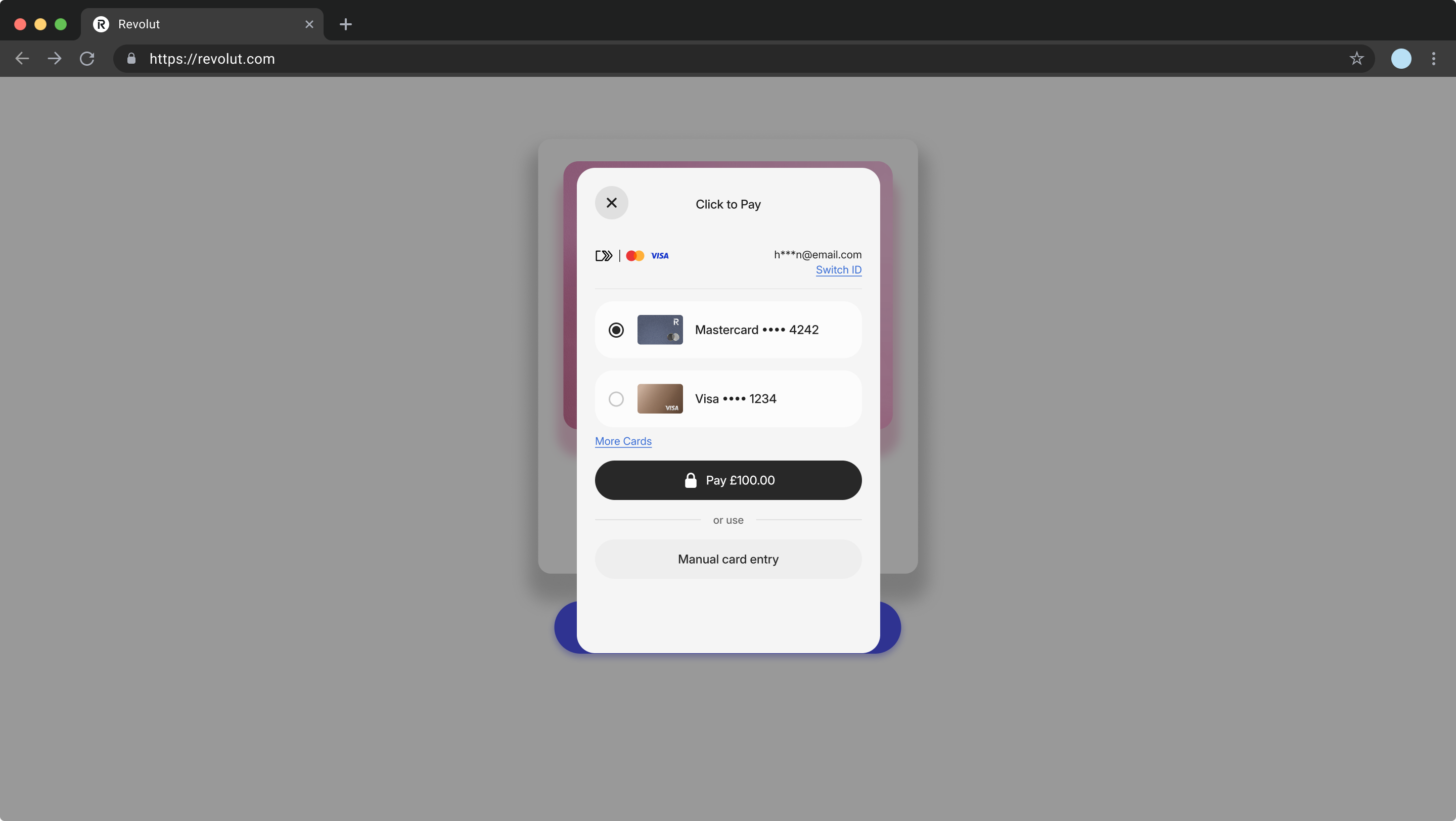
You can embed the Click to Pay widget on your website using our web SDK to give your customers a seamless checkout experience. The widget opens a pop-up where customers authenticate with their card network and complete the payment - all without leaving your checkout page.
Alternative payment solutions
In addition to Click to Pay, you can choose to integrate other payment solutions, such as:
These alternatives give your customers flexibility and help you capture more sales from different payment preferences.